
With SixFifty, making Employee Handbooks is incredibly easy and intuitive. Answer a few questions and boom there you go. How could we make it even more valuable?
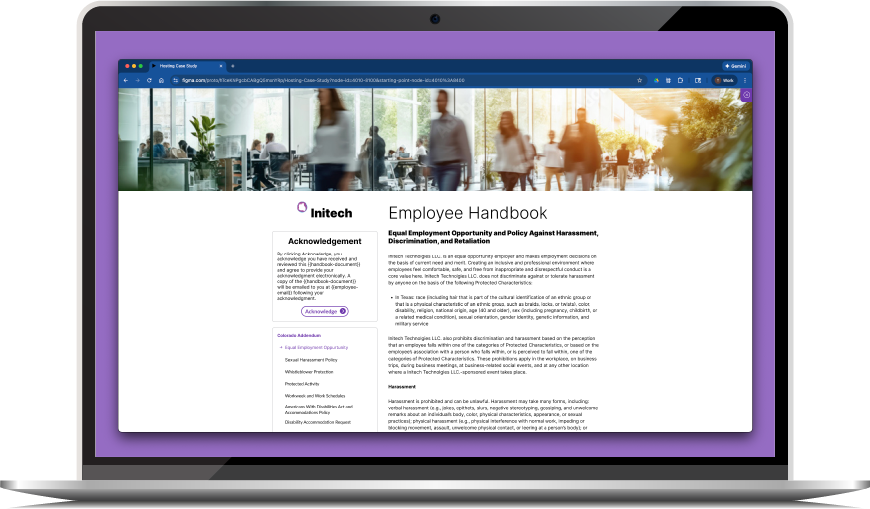
The Feature Upgrade
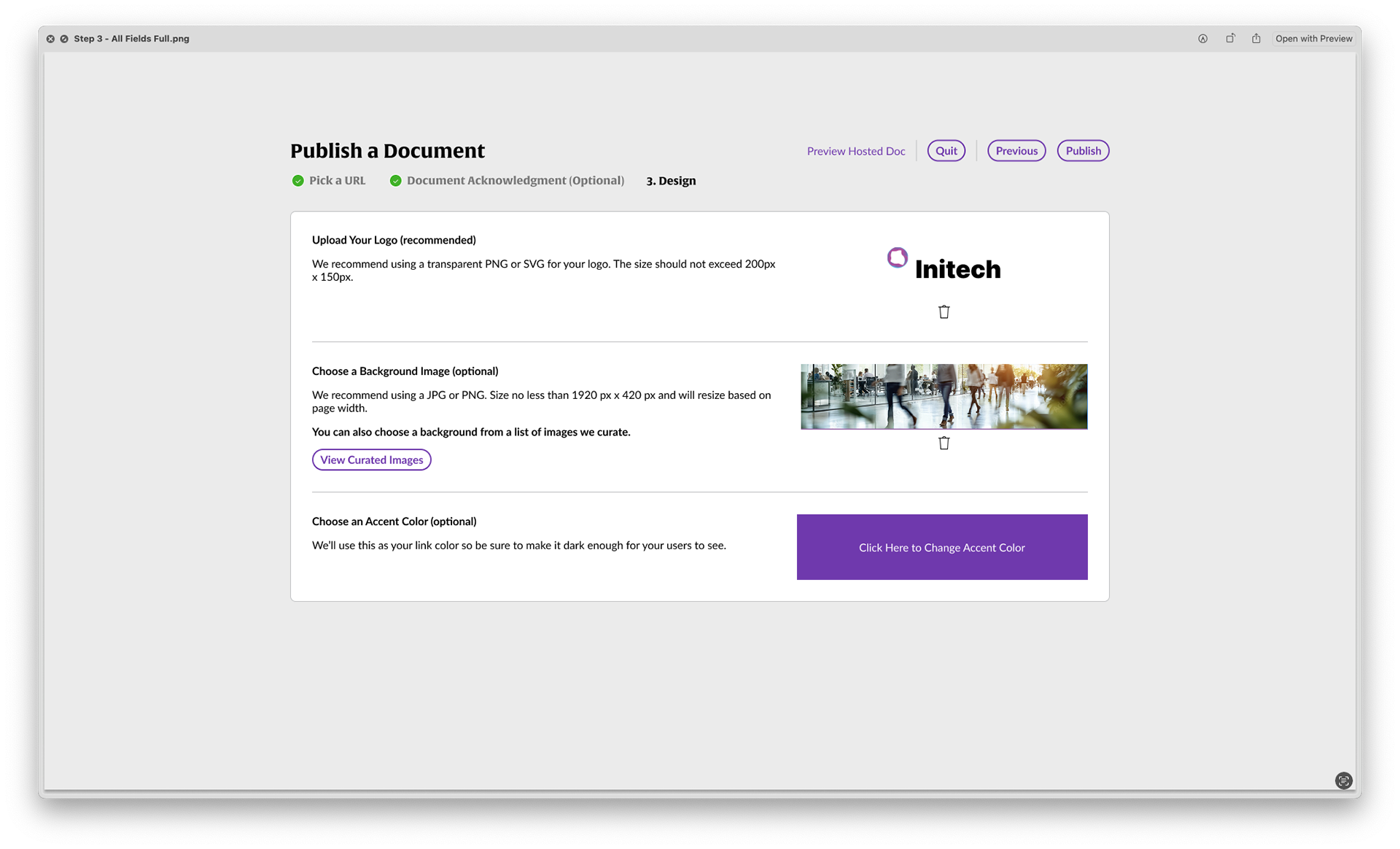
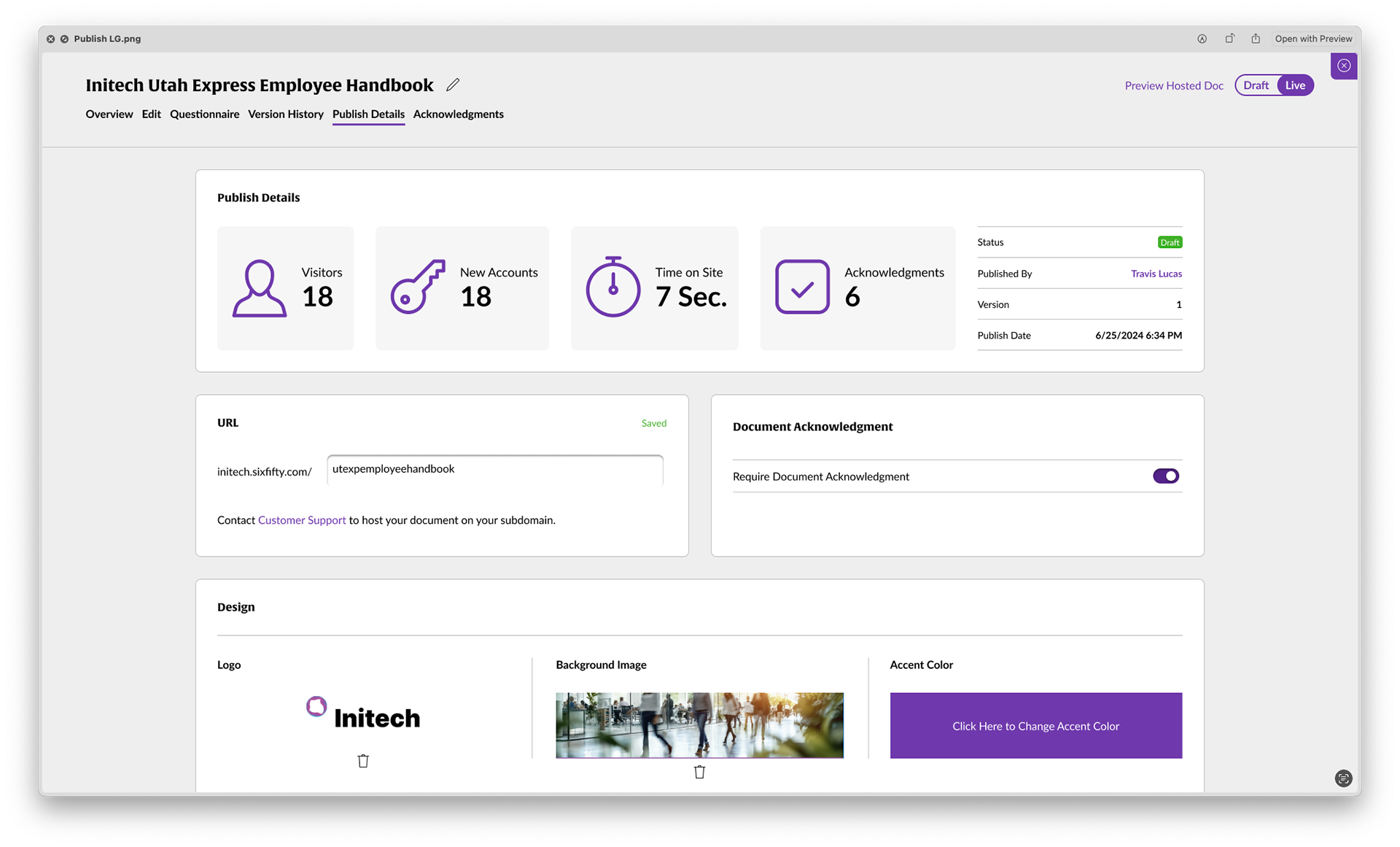
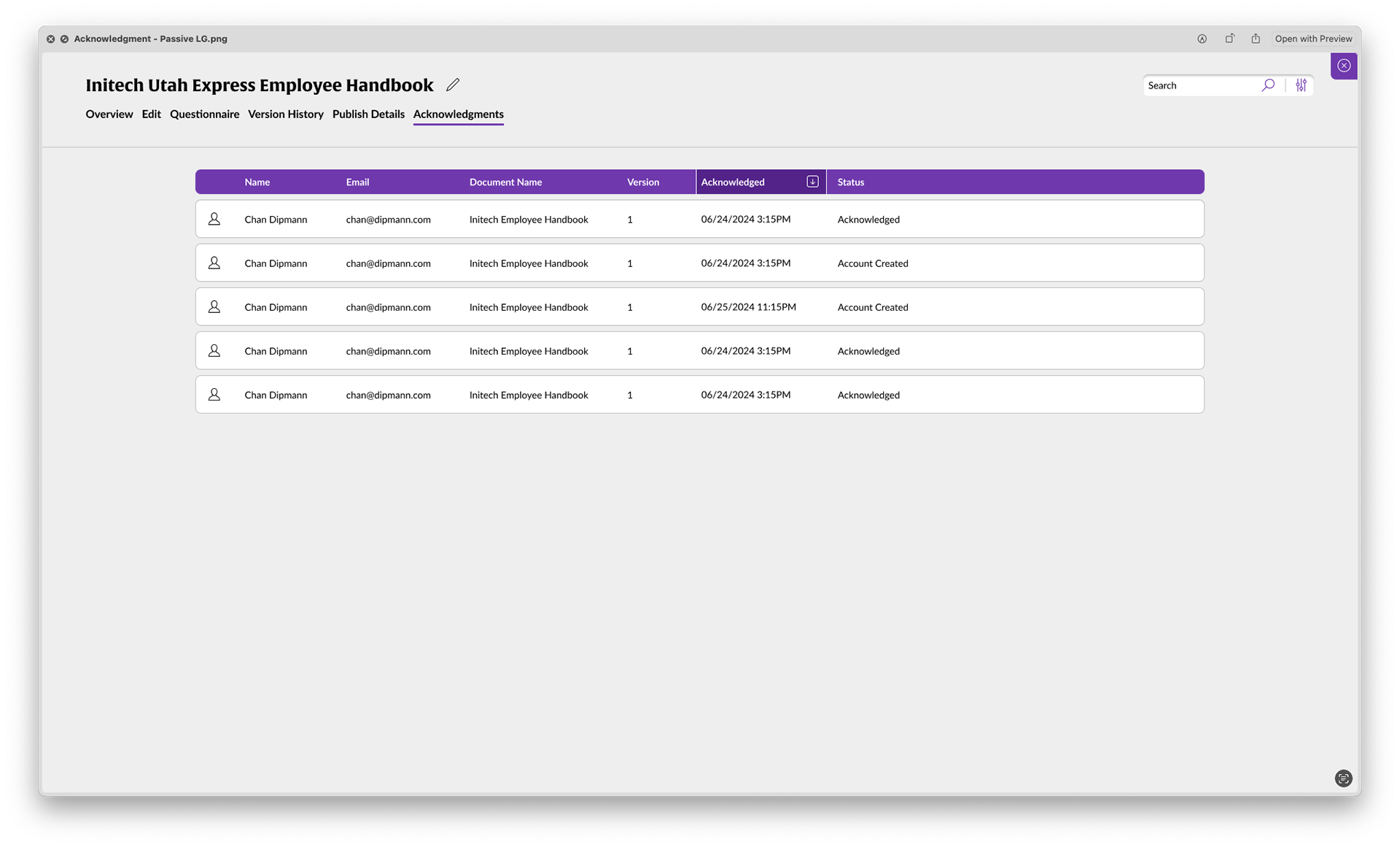
Users wanted to take the creation of their Employee Handbooks one step further by having the ability to not only host their handbook but also gather acknowledgements and monitor employee acknowledgements.
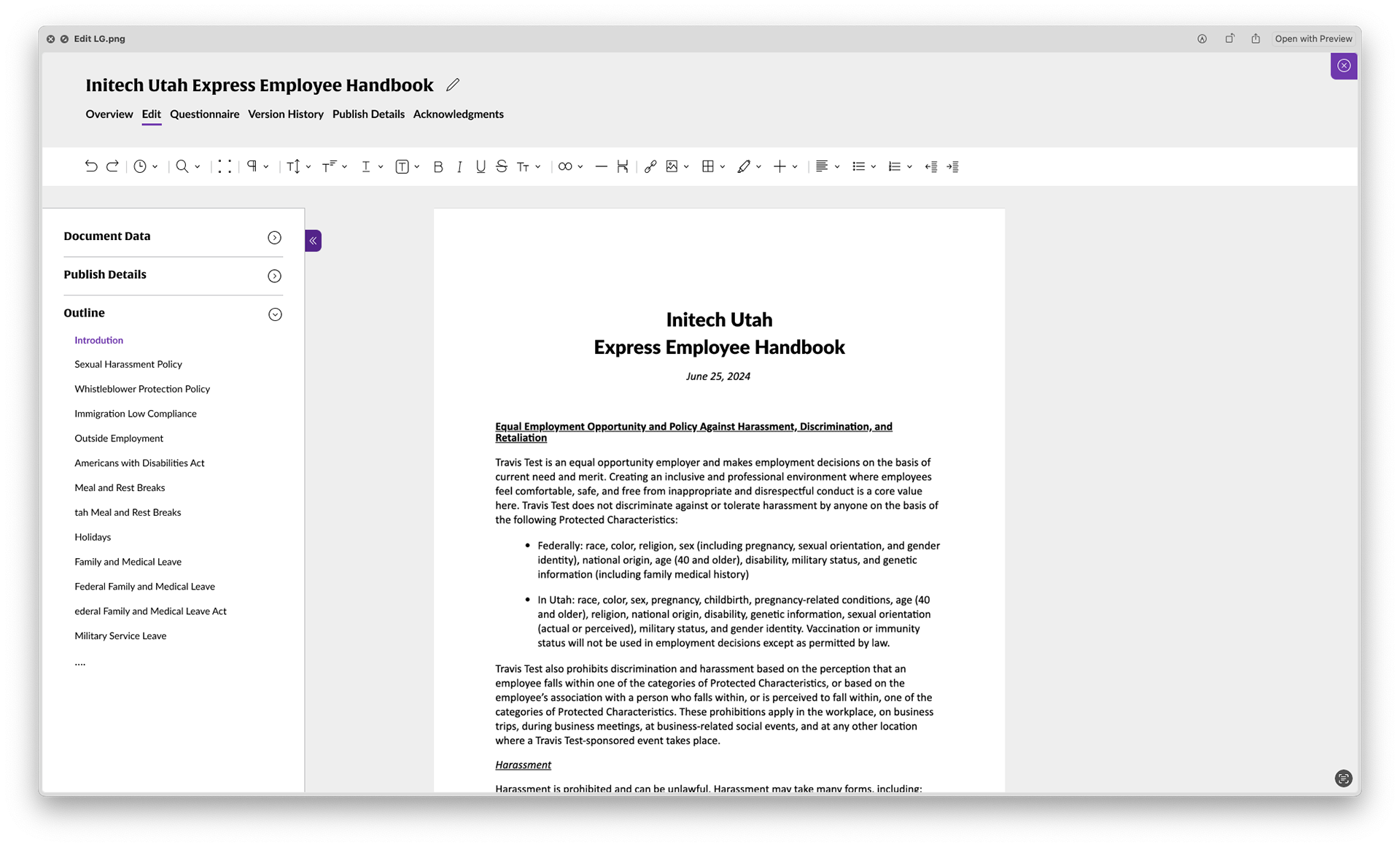
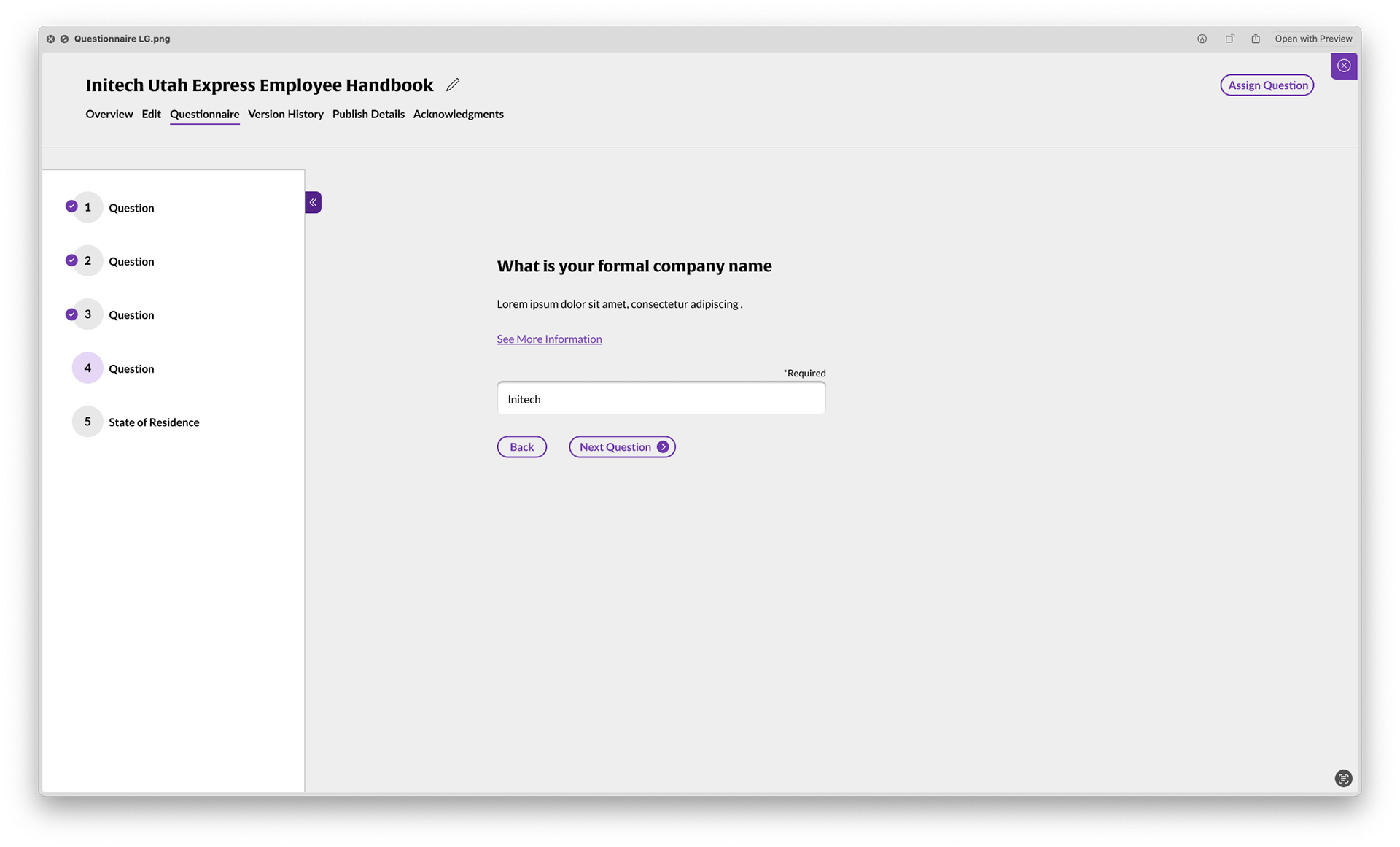
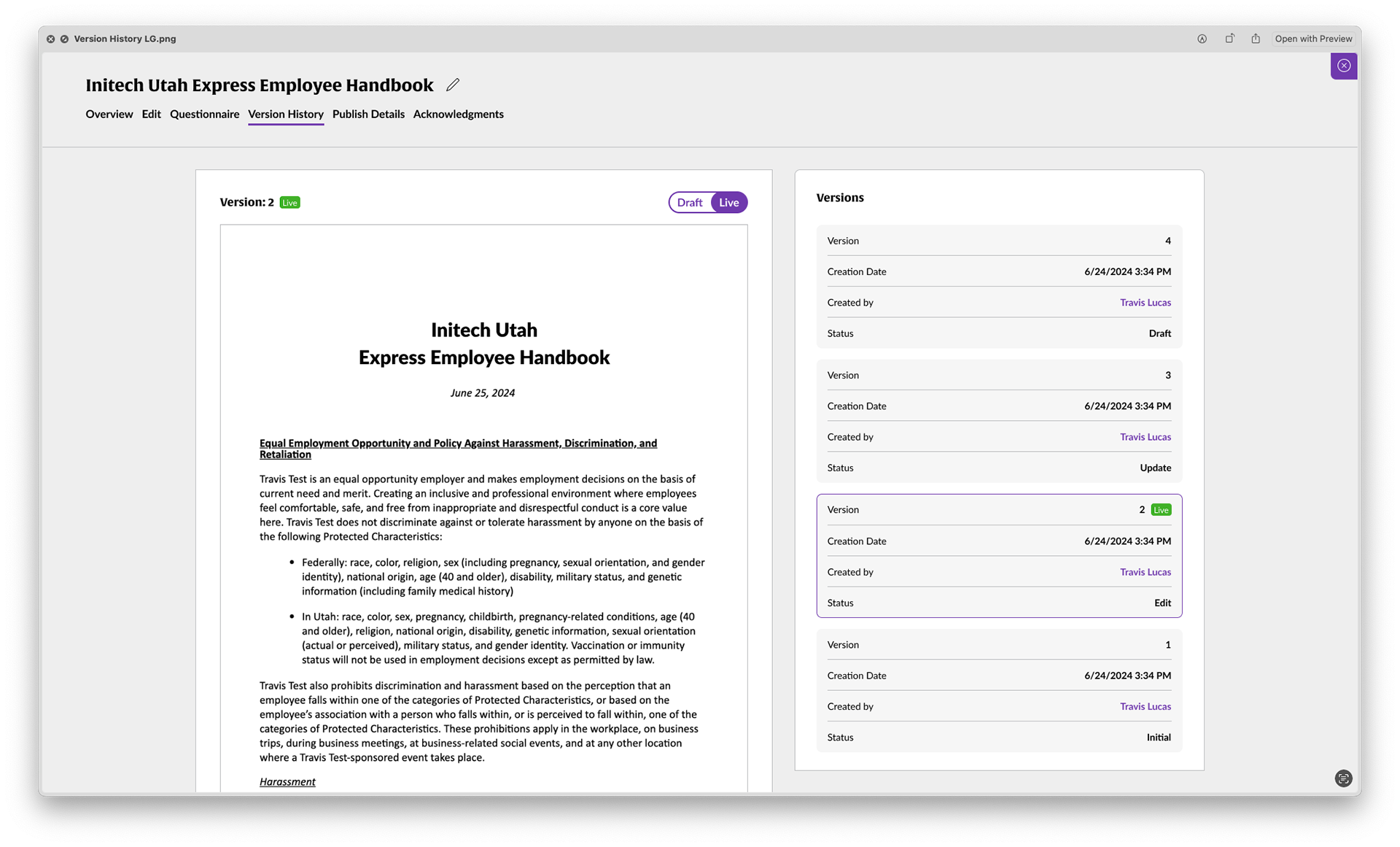
This feature necessitated the building of a document hub that allowed the user to edit, track changes and update answers in their template.
Considerations
- Assess current handbook creation to see where new feature fits into user journey
- Make the experience simple for the user as well as simple to develop as this would be a staged rollout of even more features
- Make the experience simple for the user as well as simple to develop as this would be a staged rollout of even more features
Make a central over hub for all things related to the document.
- PM had a baby on the way and I would need to research and design this before Paternity leave kicked in!
Current App Audit
I found as I walked through the creation process for handbooks that their was a natural fork that a user could take to get them into the hosting process as they were creating their handbooks. The user would also need to be able to add hosting to any handbook that they had already created.
We also decided to review templates to make sure there are no other UX issues that we could clean up while we were working on the new feature.
I created this User journey map to show what new pages were needed and what the user could do on that page. It also shows how we integrated the document hub outlined above.
I created this User journey map to show what new pages were needed and what the user could do on that page. It also shows how we integrated the document hub outlined above.
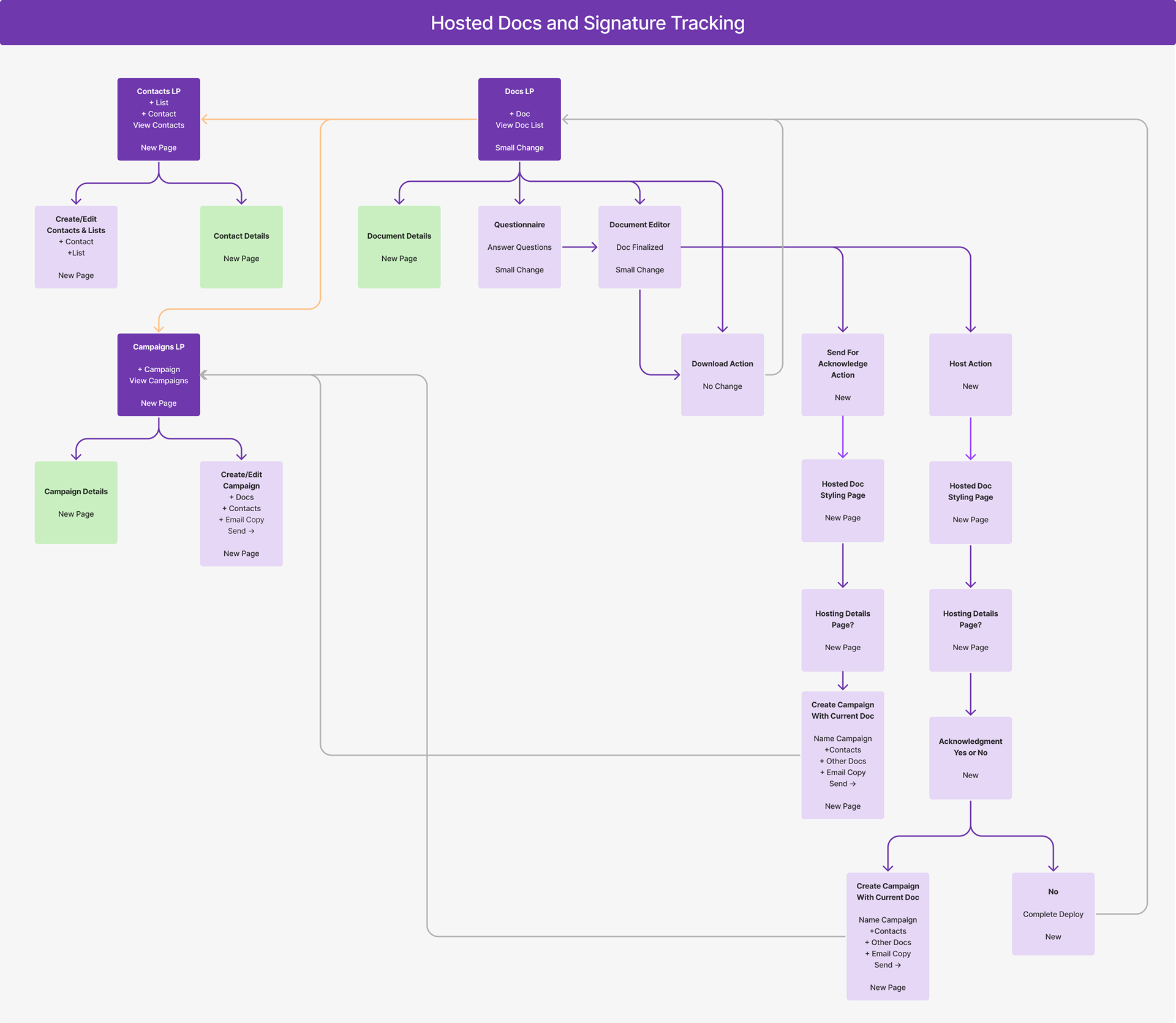
Hosted Docs User Journey Map
What Next?
After this map was approved by stake holders and I had made all applicable changes I went right in to Figma to start creating the pages you see below. I was able to quickly get designs out that we could build a consensus with. We showed these designs to a handful of our best customers and they were clamoring to get this feature out.
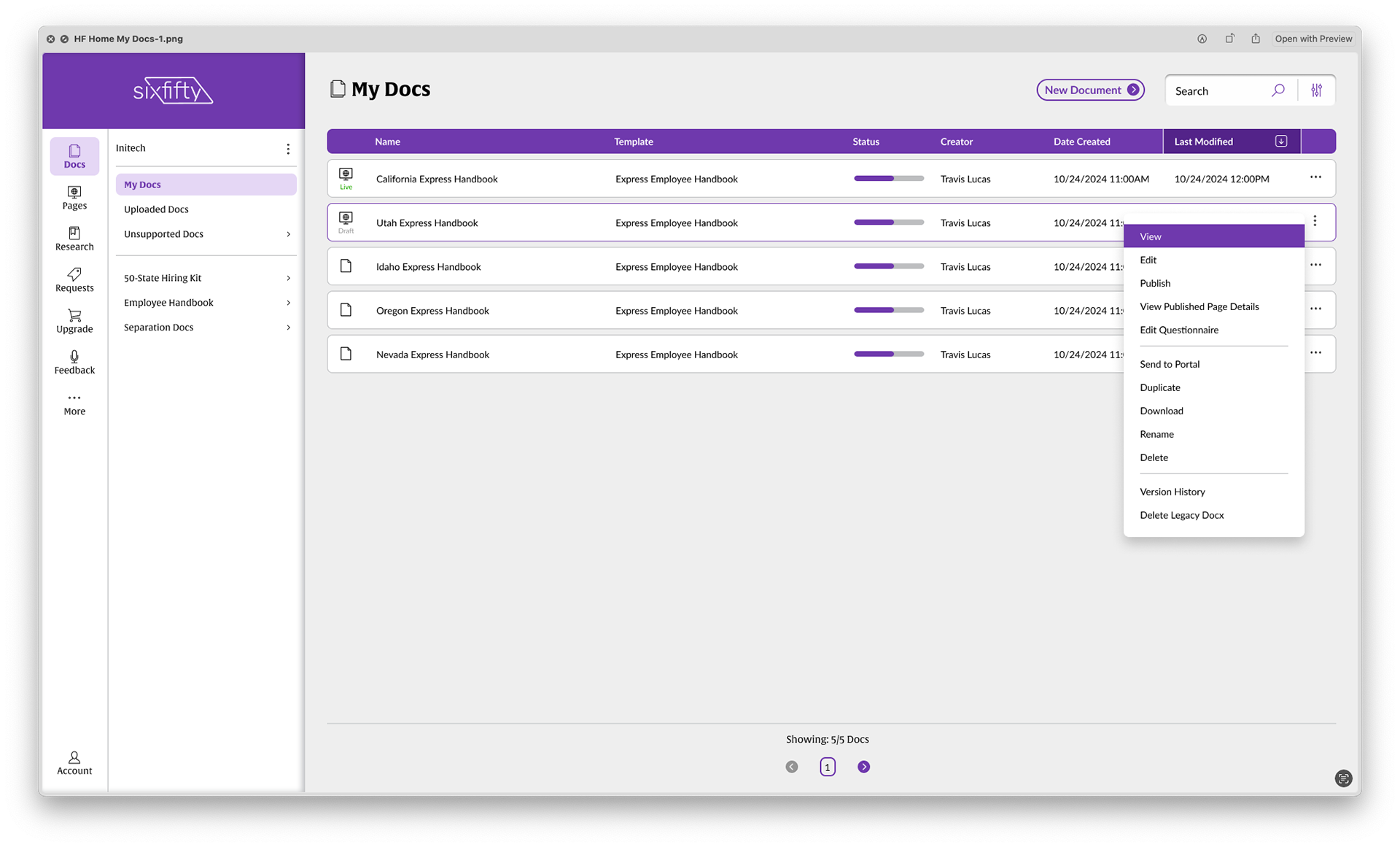
All User Docs
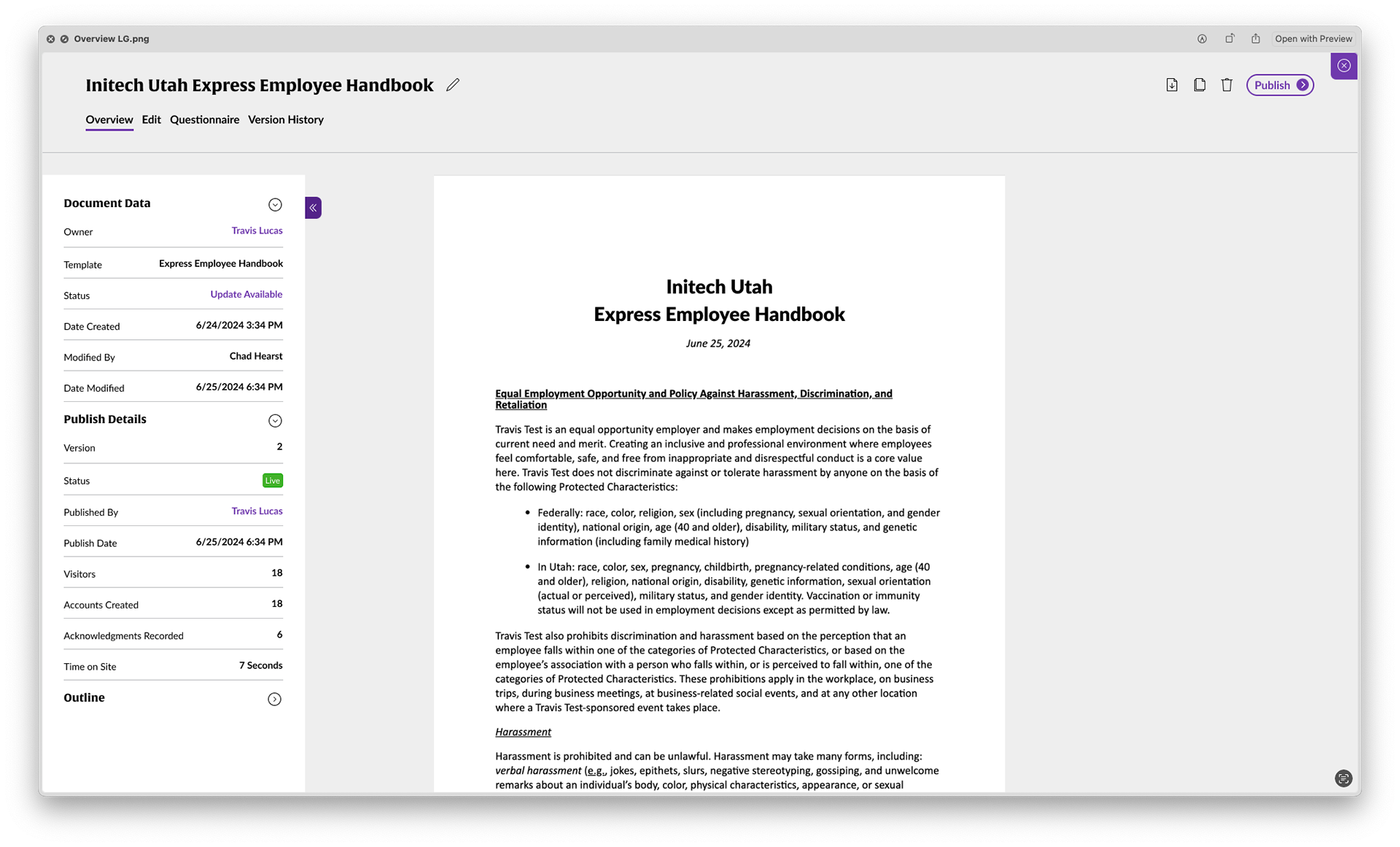
Doc Questionnaire
The Outcome
Except for maybe the full site redesign this release had a huge impact on the user and business. It allowed them to DO something with their document other than just downloading and printing. They could edit, track changes, change answers, host, and monitor acknowledgement status. Our customers were beyond the moon. We continued to gather user feedback and made changes after the comps you see here, but the net result was a HUGE win for the company.